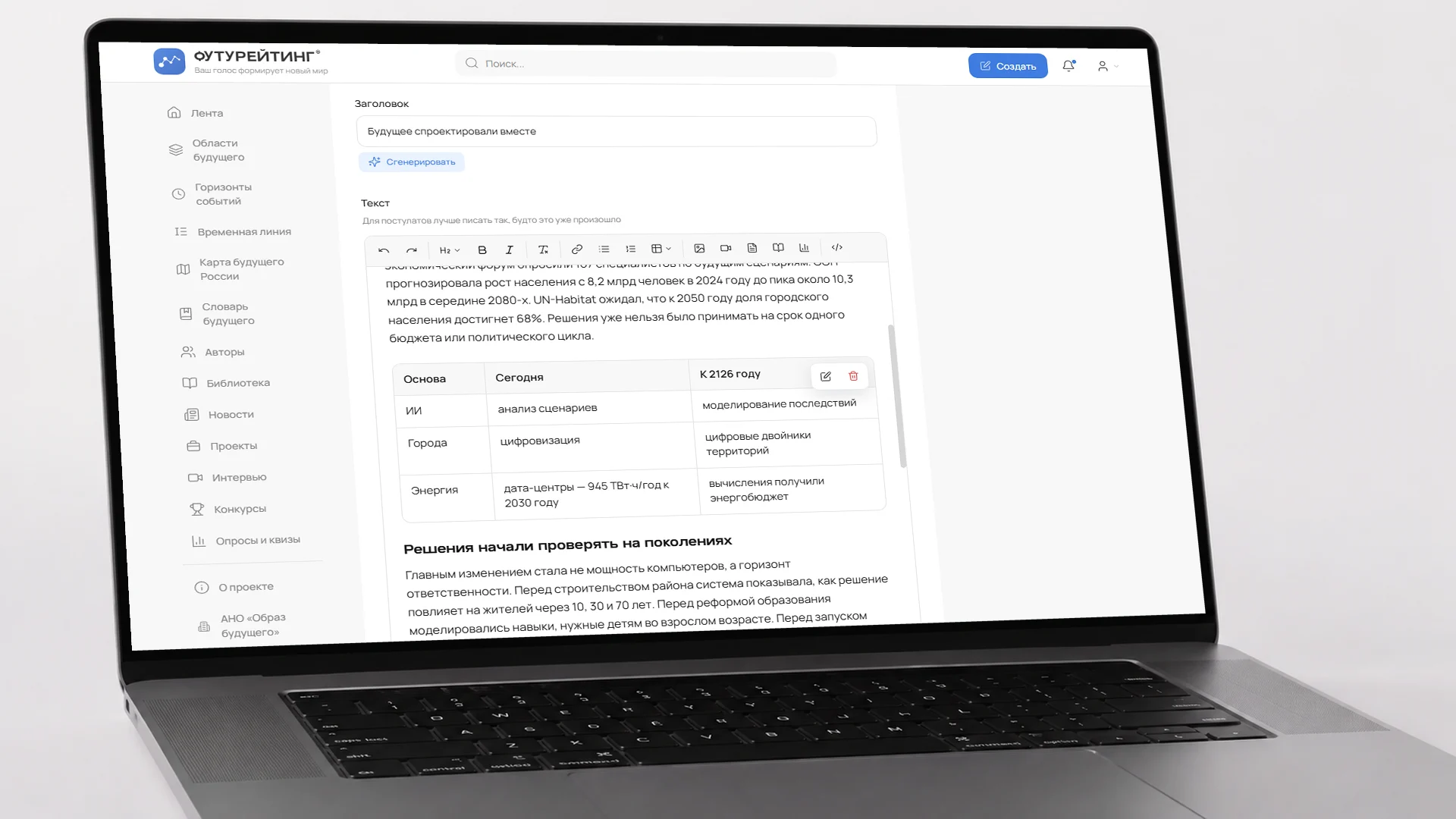
On the Futurating platform, the publication editor has been updated. It now includes new tools for working with text, images, and content structure — from numbered lists and tables to galleries, polls, and related publications.
The update helps authors format everything from short postulates to large articles, interviews, and other materials more conveniently.
Mini text formatting panel
When you select a fragment of text, a compact panel with basic formatting tools now appears.
It lets you work with the selected text right where the author is, without returning to the editor’s main panel each time.
This makes it faster to highlight an important idea, format a quote, add a link, or apply other available formatting.
Numbered lists
The editor now lets you create numbered lists.
They are useful for sequences of actions, stages of implementing an idea, event scenarios, rankings, and other cases where the order of items matters.
Tables
You can now insert tables into a publication.
They help present comparative data, characteristics, stages, metrics, and other information compactly in a way that is easier to grasp in structured form.
The tables are adapted for viewing on different devices.
Image galleries
The editor now supports image galleries.
Creating them is simple: just select several photos at once when uploading. The editor will determine the format automatically — a single selected image will be added as a regular illustration, while multiple images will automatically form a gallery.
After inserting a gallery, you can manage it and change the set of images.
Polls in publications
You can now add polls to Futurating materials.
The author formulates a question and offers answer options, and readers can vote directly in the publication.
This allows you to use the material not only as a way to present an idea, but also as an additional point for discussion and evaluation of different future scenarios.
“Learn more about the topic” block
A “Learn more about the topic” block has been added to link publications together.
The author can choose another Futurating material, after which a separate card with an image, title, and short description will appear in the text.
This makes it possible to combine related postulates, articles, and other materials into thematic chains and give readers the opportunity to continue exploring a topic.
More features for substantive publications
The new tools complement the editor’s existing features and allow ideas to be presented in more diverse ways: structuring text, showing data in tables, assembling images into galleries, reaching out to the community through polls, and linking publications thematically.
The editor remains deliberately compact. Its task is not to give the author dozens of decorative settings, but to provide clear tools that help better reveal the content of a publication.
— Futurating platform team
The updated features are already available when creating and editing materials on the platform.
Comments (0)